
Same Day Sick Visit Online: Fast Care Without the Wait
Get urgent care from home with a same day sick visit online. Fast, efficient consultations ensure you receive quick diagnosis and treatment.

Same Day Sick Visit Online: Fast Care Without the Wait
***
> TL;DR: > > - A same-day online sick visit connects patients with licensed providers for urgent, non-emergency illnesses through a virtual consultation. Proper preparation, including device testing and symptom documentation, is essential to ensure a smooth, effective experience. These visits typically last 15 to 20 minutes, with prescriptions sent electronically the same day.
***
A same day sick visit online is a virtual medical appointment that connects you with a licensed healthcare provider for urgent, non-emergency illnesses without leaving your home. These consultations, also called telehealth urgent care visits, last 15–20 minutes from start to finish. That efficiency makes them the most practical option for busy adults who cannot afford to spend half a day in a waiting room. Copergrine offers same-day telehealth services designed specifically for patients who need fast diagnosis, treatment, and electronic prescriptions on their schedule.
***
What to have ready before your same day sick visit online
Preparation determines whether your virtual sick visit runs smoothly or stalls at the first technical hurdle. Patients who arrive unprepared often face delays, incomplete assessments, or referrals to in-person care that could have been avoided.
Device and network setup
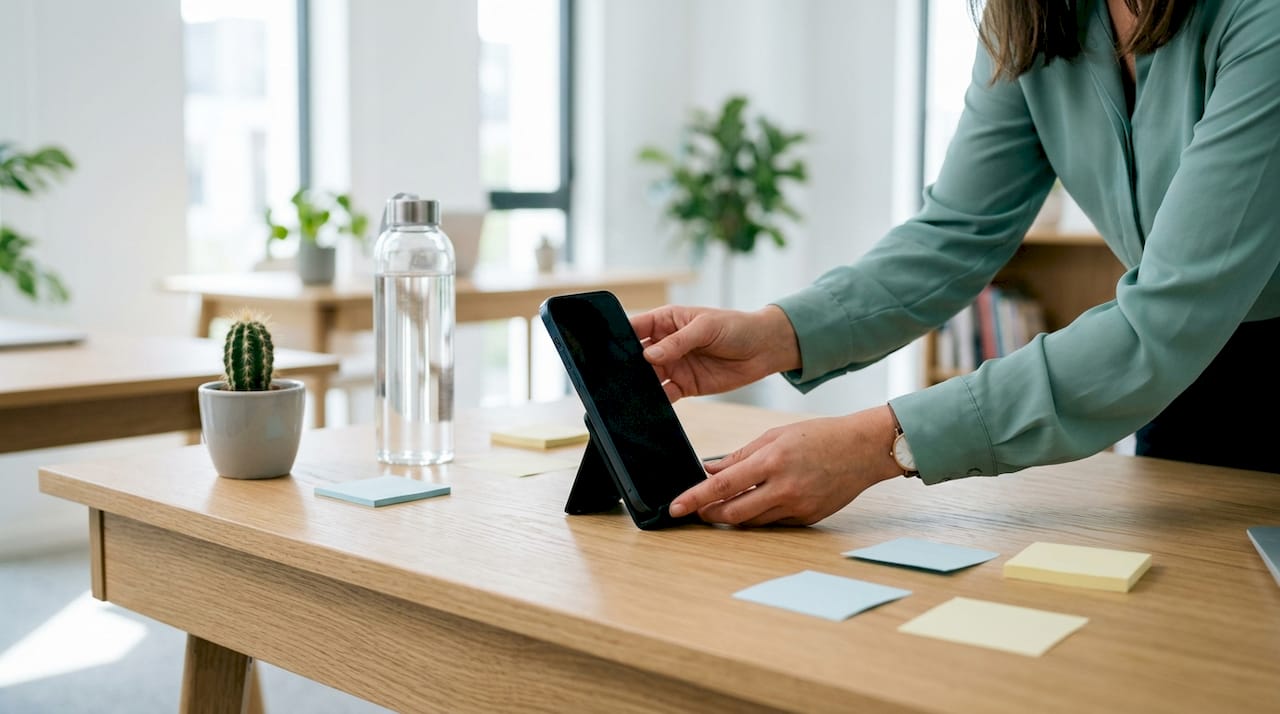
Your device choice matters more than most patients realize. A smartphone, tablet, or computer all work, but dedicated telehealth apps provide more stable video connections than browser-based links, especially on variable mobile networks. Connect to Wi-Fi rather than cellular data, and close every background app before your appointment starts. Test your camera and microphone at least five minutes before the scheduled time.
Documentation to gather in advance
Bring the following to your appointment:
- A clear description of your symptoms, including when they started and how they have changed
- Your current medications and dosages
- Known allergies, especially to antibiotics or common drugs
- Your insurance information, if your platform requires it for billing
- Any relevant medical history, such as recent illnesses or chronic conditions
Accurate symptom reporting is not just helpful. Pre-visit intake questionnaires drive provider triage decisions, and incomplete answers can slow your consultation or trigger an unnecessary in-person referral.
Environment and privacy
Choose a quiet, well-lit room where you will not be interrupted. Good lighting lets the provider see your face, skin, or throat clearly during the video exam. Privacy protects your personal health information and keeps the conversation focused.
Pro Tip: Complete the pre-visit intake form on your phone or computer before the appointment window opens. Providers review these responses before the video call begins, which shortens the consultation and improves diagnostic accuracy.
Review Copergrine's virtual visit checklist for a full device, network, and privacy walkthrough before your first appointment.
***
How does the booking and consultation process work?
The full workflow for a telehealth same day appointment follows a clear sequence. Understanding each step removes uncertainty and helps you move through the process without delays.
Step-by-step from booking to follow-up
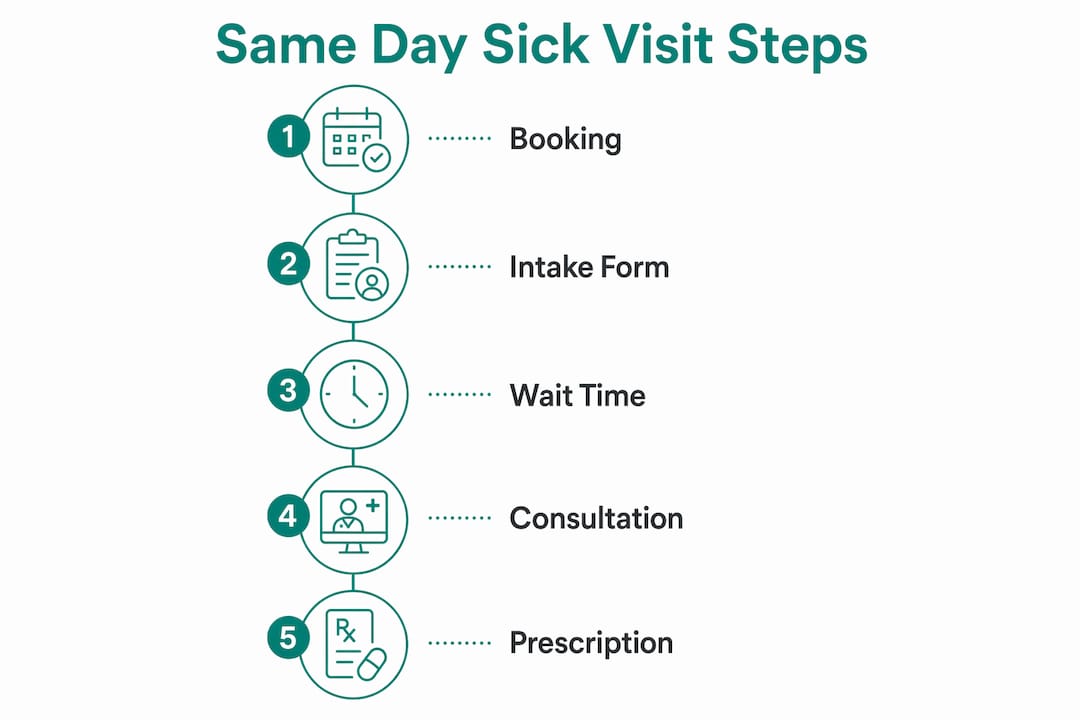
- Find a same-day slot. Open your telehealth platform or app and search for available appointments. Real-time availability and fast patient-provider matching are standard features on modern booking platforms.
- Select your symptoms and time slot. Most platforms ask you to categorize your concern (respiratory, skin, urinary, etc.) before showing available providers. This pre-selection routes you to the right clinician.
- Complete the intake form. Fill out your symptom timeline, medical history, and medication list. This step feeds directly into provider triage.
- Join the video or chat consultation. The provider reviews your intake responses, asks follow-up questions, and conducts a visual exam. The conversation typically covers symptom onset, severity, and any treatments you have already tried.
- Receive your visit summary and prescription. After the consultation, electronic prescriptions go directly to your chosen pharmacy. A written visit summary arrives by email or through the platform's patient portal.
- Follow up as directed. The provider will specify whether you need a follow-up virtual visit, lab work, or an in-person exam. Follow those instructions precisely to avoid gaps in care.
What the timeline looks like
| Stage | Typical time |
|---|---|
| Booking and intake form | 5–10 minutes |
| Wait for provider | 0–15 minutes |
| Video consultation | 15–20 minutes |
| Prescription delivery | Within 1 hour |
| Visit summary receipt | Same day |
Total time from login to prescription confirmation runs under 30 minutes in most cases. Delays occur when intake forms are incomplete or when the provider needs additional information not captured before the call.
***
Common mistakes that derail a virtual sick visit
Most patients assume a virtual visit is simply a video call. That assumption leads to avoidable problems. Technical failures and vague symptom descriptions are the two most common reasons consultations run long or end in an in-person referral.
Technical issues to fix before you connect
- Camera and microphone not tested. A provider who cannot see or hear you clearly cannot assess you accurately. Test both at least five minutes before your appointment.
- Browser-based links on weak cellular connections. Switch to the platform's dedicated app and connect to Wi-Fi.
- Background apps consuming bandwidth. Close streaming services, downloads, and video calls running in the background.
- Poor lighting. Sit facing a window or lamp so the provider can see your face, throat, or skin without asking you to reposition repeatedly.
When virtual care reaches its limits
Certain conditions require physical examination and cannot be fully assessed through a screen. Listening to lung sounds, palpating the abdomen, or examining the inner ear requires hands-on contact. When a provider identifies these needs during your virtual visit, they will refer you to an in-person clinic. That referral may carry a separate billing event, so confirm your insurance coverage for both visit types before you book.
> "If you experience chest pain, difficulty breathing, severe abdominal pain, or signs of a stroke, do not book a virtual visit. Call 911 or go to the nearest emergency room immediately. Telehealth is designed for urgent but non-emergency conditions."
Pro Tip: Write down two or three specific questions before your appointment. Providers appreciate focused questions, and you are less likely to forget important concerns during a short consultation.
Save your visit summary as a PDF immediately after the appointment. Visit summaries are the most important documentation outcome for treatment adherence and specialist coordination. Losing access to the patient portal later can create gaps in your medical record.
***
What conditions can a same-day virtual sick visit treat?
Virtual urgent care effectively treats a wide range of minor illnesses and symptoms through video consultation. Knowing what qualifies helps you decide whether a telehealth appointment fits your situation or whether you need a physical clinic.
Common conditions addressed in a virtual sick visit include colds, flu, sinus infections, allergies, pink eye, rashes, urinary tract infections, minor skin irritations, and mild gastrointestinal complaints. These conditions share a key trait: the provider can assess them accurately through a visual exam and a detailed symptom history.
Virtual vs. in-person urgent care: key differences
| Feature | Virtual urgent care | In-person urgent care |
|---|---|---|
| Wait time | Under 30 minutes | 45 minutes to 3+ hours |
| Travel required | No | Yes |
| Physical exam | Visual only | Full hands-on exam |
| Prescription delivery | Electronic, same day | Paper or electronic |
| Best for | Minor illnesses, infections | Injuries, complex symptoms |
| Cost | Often lower copay | Standard urgent care rates |
Virtual urgent care does not replace a primary care relationship. Experts advise that telehealth visits should complement ongoing primary care, not substitute for it. A virtual visit handles the acute episode. Your primary care provider manages the broader picture of your health over time.
For Texas patients, Copergrine's online doctor visits guide details exactly which conditions a virtual provider can treat under current state telehealth regulations.
***
Key Takeaways
A same day sick visit online delivers fast, licensed medical care for non-emergency illnesses through a structured virtual process that requires preparation, accurate symptom reporting, and the right technology.
| Point | Details |
|---|---|
| Visit duration | Most telehealth urgent care consultations run 15–20 minutes, with total time under 30 minutes. |
| Preparation drives outcomes | Complete intake forms accurately and test your device before the appointment to avoid delays or referrals. |
| Electronic prescriptions | Providers send prescriptions directly to your pharmacy the same day, with a written visit summary to follow. |
| Know the limits | Conditions requiring physical exams, such as lung auscultation or abdominal palpation, need in-person care. |
| Complement primary care | Virtual sick visits address acute episodes; ongoing primary care manages your long-term health. |
***
Why preparation separates good telehealth visits from frustrating ones
I have reviewed hundreds of telehealth workflows, and the pattern is consistent. Patients who struggle with virtual visits almost never fail because of the technology itself. They fail because they treat the appointment like a casual video call rather than a clinical encounter.
The intake form is not a formality. It is the provider's first look at your case. A vague entry like "I feel sick" forces the clinician to spend the first five minutes of your consultation asking questions that a two-minute form could have answered. That time comes out of your diagnosis, not your wait.
The other mistake I see repeatedly is patients booking a virtual visit for symptoms that clearly need hands-on care. A rash you can show on camera is a good telehealth case. Chest tightness that started this morning is not. Knowing that boundary before you book saves you time and, more importantly, keeps you safe.
What I find genuinely encouraging is how well virtual urgent care works when patients use it correctly. A well-prepared patient with a clear symptom history, a stable connection, and a quiet room gets a clinical encounter that rivals an in-person visit for most minor illnesses. Telehealth platforms that issue visit summaries give patients a record they can share with their primary care provider, which closes the loop on continuity of care. That coordination is what separates a one-off virtual visit from a genuinely useful part of your healthcare routine.
> — Copergrine Editorial Team
***
Copergrine's telehealth clinic for same-day patient care
Copergrine connects patients with licensed clinicians through a fully integrated telehealth platform built for same-day access. The system pairs virtual consultations with a proprietary EMR that captures visit summaries, prescription records, and clinical notes in one place.
Providers using Copergrine's telehealth and EMR platform benefit from real-time documentation that supports accurate billing, care coordination, and follow-up scheduling. Patients get fast access to care without the friction of disconnected systems. Whether you are a practice looking to expand virtual care capacity or a patient in the Greater Houston area seeking a same-day appointment, Copergrine's integrated approach keeps clinical quality at the center of every visit. See a Copergrine clinician from anywhere, today.
***
FAQ
What is a same day sick visit online?
A same day sick visit online is a virtual medical appointment with a licensed provider for urgent, non-emergency illnesses. The consultation typically runs 15–20 minutes and results in a diagnosis, treatment plan, and electronic prescription when appropriate.
How long does a telehealth same day appointment take?
Total time from login to prescription confirmation is typically under 30 minutes. Delays occur when intake forms are incomplete or when the provider needs additional clinical information.
What conditions can a virtual sick visit treat?
Virtual urgent care effectively addresses colds, flu, sinus infections, allergies, pink eye, rashes, urinary tract infections, and minor skin conditions. Conditions requiring a physical exam, such as suspected fractures or severe abdominal pain, require in-person care.
Do I need special equipment for an online doctor visit?
A smartphone, tablet, or computer with a working camera and microphone is sufficient. Using a dedicated telehealth app on Wi-Fi produces the most stable connection and the clearest video quality.
Can I get a prescription from a same-day telehealth visit?
Yes. Providers can issue electronic prescriptions during or immediately after the consultation, sent directly to your pharmacy the same day.